


Why am I seeing this picture? Media Credit – Freepik
Important Note for Sellers: To set up a business profile which is mandatory for sellers, create an account with an email address from your business domain (Example - [email protected]).

Subscription Plans & Feature Availability  ✓ Give  ✓ Nurture  ✓ Thrive  ✓ Flourish
You’ve got a well-tested ventilator, a full service history, and a fair price. A buyer finds your listing, likes it, and then clicks over to see who you are.
They find a blank avatar, a name, and nothing else. No business. No job title. No sense of whether you’re reachable or even real.
Some of those buyers message you anyway. Plenty just close the tab.
The same is true if you’re a technician or refurbisher looking for your next role. A recruiter with an opening in Jobs isn’t going to chase a profile that tells them nothing.
Why a thin profile costs you
Online, the profile does the job your handshake, your workshop, and your business card do in person. The stakes are also higher in medical equipment than in most resale categories. Buyers want to know the device was handled by someone qualified and that there’s a person to call if something goes wrong. Regulators have flagged concerns that some third-party servicers may use unqualified personnel and may not document their work adequately, so careful buyers look for signs of who they’re dealing with.
Research on online marketplaces points the same way, though it comes from general e-commerce rather than medical equipment. One controlled experiment found that both seller photos and reputation scores had significant effects on buyers’ trust and number of purchases. Another paper notes that customers rely on profile photos to judge trustworthiness and may avoid sellers who don’t display one. A complete profile won’t close a sale on its own. An empty one can quietly end a conversation before it starts.
A profile that does the introducing for you
Your Gerätor profile is where your identity lives: your name, your details, your photo, and whether you’re open to work. Buyers check it before they trust you, and recruiters check it before they contact you. Here’s how to set it up. You’ll find it at gerator.com/dashboard/settings/profile.
Step 1: Check your name and status
Your name and current status appear at the top of your profile. This is the first thing anyone sees, so make sure it’s how you’d introduce yourself to a hospital procurement lead or a hiring manager.
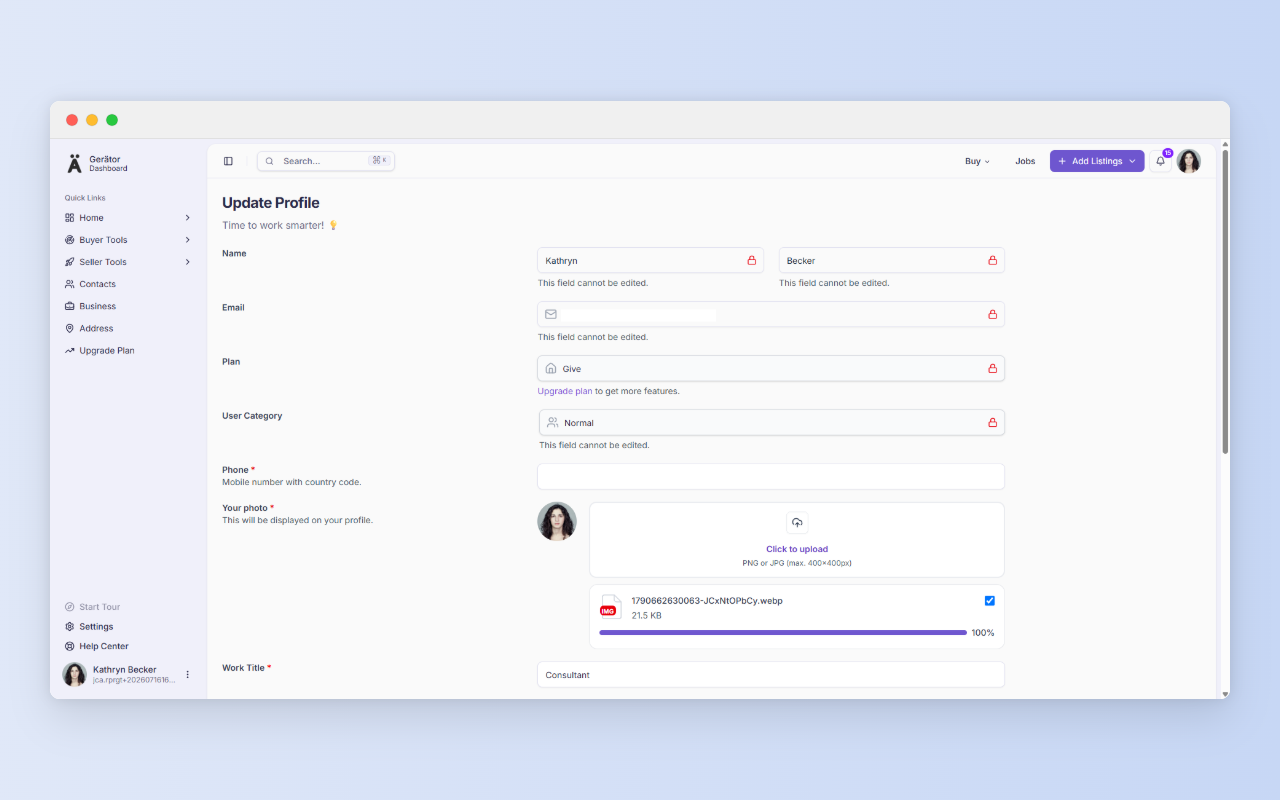
Step 2: Fill in your profile details
Contact information, work title, business, and address all live in one place. If you’re a service technician, list your title as you’d put it on a quote. If you run a refurbishment business, add it. Procurement guidance recommends checking a supplier’s full business details and clear contact information, so give people something to find.
Open your profile and read it as a buyer would, then as a recruiter would. Is the name right? Is there a clear face? Could someone reach you? Does the status say what you want it to say? If you can’t answer yes to all four, fix that first.
One thing to do today
Step 3: Upload a clear portrait
Choose a portrait where your face is easy to see. Use good light, keep the background simple, and pick a photo that looks like you today. You don’t need a studio shoot. A phone photo taken near a window works. Avoid logos, group shots, and images of equipment in place of your face. In one marketplace study, missing profile photos, or photos without a human face, undermined trust.
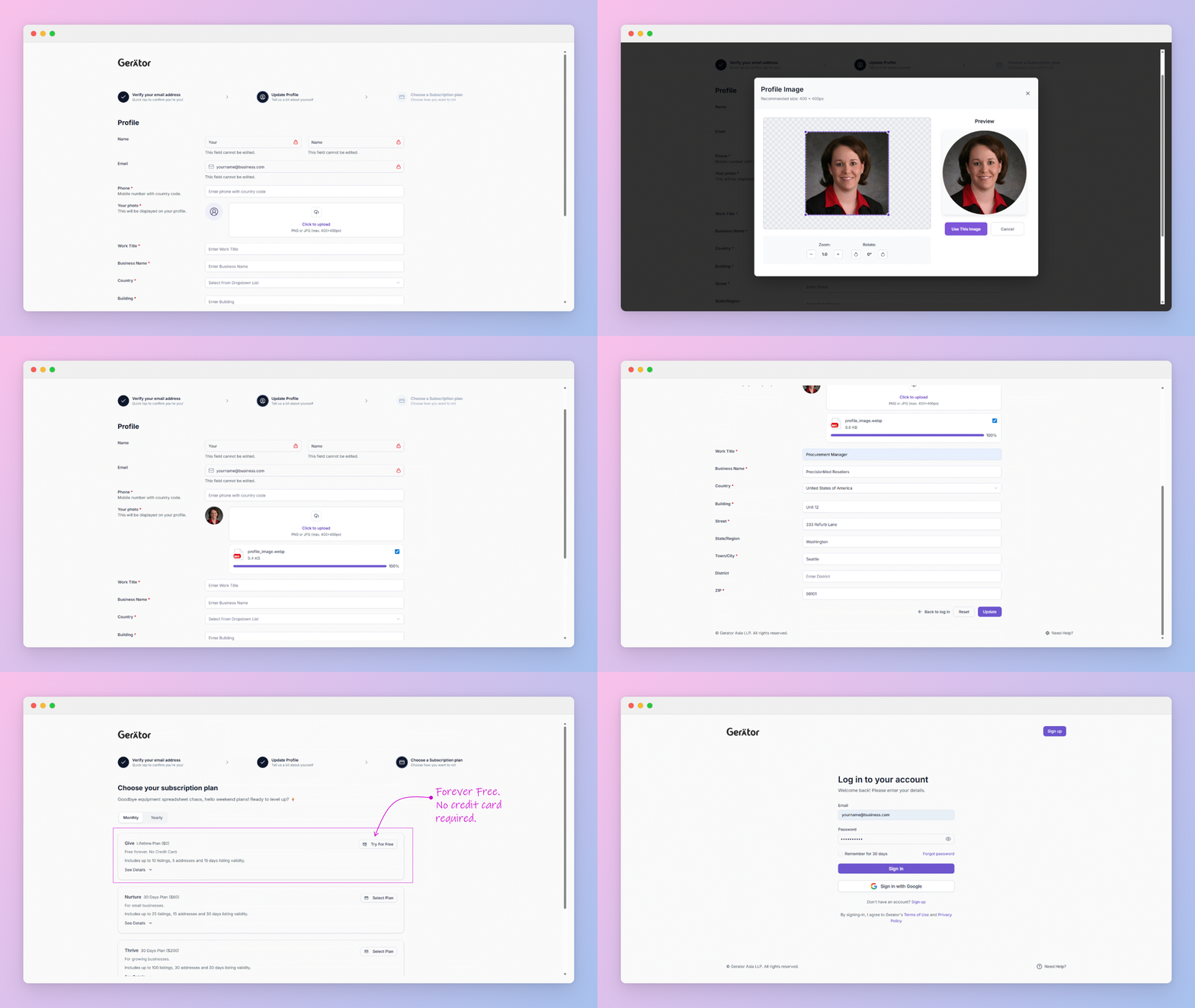
Step 4: Tell recruiters you’re open to work
Use the toggle to switch between Taking a break and Ready for work. When you turn on Ready for Work, recruiters can reach out to you with opportunities. These are the positions listed in Jobs. The same screen lets you edit your profile details.
Being open to work is worth flagging even if you aren’t actively job hunting. A service technician between contracts, or a refurbisher looking for a new role, can switch it on and let opportunities come to them. If you’re settled and not interested in offers, Taking a break says so.
What this looks like in practice
- The refurbisher with a first listing. A complete profile tells buyers there’s a real business behind the equipment before they read the description.
- The field service technician between contracts. With a clear photo and job title in place, flip on Ready for Work and recruiters looking to fill roles in Jobs can find and contact you.
- The biomedical engineer ready for a move. You’re open to a new position but not posting about it publicly. The toggle signals it to recruiters without a separate announcement.
- The professional who’s settled. You’re happy where you are, so you leave it on Taking a break and don’t field offers you don’t want.
- The buyer vetting a stranger. Procurement teams checking an unfamiliar supplier can see who they’d be dealing with.
How it fits with the rest of Gerätor
Your profile is the foundation for everything else you do on the platform. Whether you’re listing equipment, responding to an inquiry, or browsing Jobs, the person on the other side is checking who you are.
A few more things before you go…
We value clarity and fairness. Here are a few helpful links to read as a new user:
Terms of Use – Understand your rights and responsibilities.
Privacy Policy – Learn how we handle your data with care.
Security – Know the steps we take to protect your account.
Business Verification – See how we build trust in our ecosystem.
Pricing – Compare plans and their benefits.
Refund Policy – Know your options if things don’t go as planned.