


Why am I seeing this picture? Media Credit – Freepik
Important Note for Sellers: To set up a business profile which is mandatory for sellers, create an account with an email address from your business domain (Example - [email protected]).

Subscription Plans & Feature Availability  ✓ Give  ✓ Nurture  ✓ Thrive  ✓ Flourish
You know how this conversation goes. A buyer likes the software application, then the questions start. Which software version is it running? Does the clinical application license come with it? What operating system does it need? Will it work with our scanner? Is it installed locally or in the cloud?
Each answer lives somewhere different: an old email, a spec sheet, your own memory. So you answer again, for every enquiry, and some buyers give up before you finish. Whether you trade equipment, refurbish it, service it or build the software yourself, the pattern is the same.
Why software is where deals get stuck
Software is the part of the deal buyers can’t see, and it can quietly decide the value. A quality manager at a used-imaging reseller points out that manufacturers generally license rather than sell software, that licenses are often non-transferable, and that this can cut a system’s resale value by as much as $100,000. At least one major manufacturer has said publicly that operating software can transfer with a system, while optional licensed clinical applications cannot.
Buyers know this, which is why their questions are so specific. IT teams also compare deployment models, ask for integration documentation, and worry about legacy operating systems. A listing that says only “EHR software, good condition” leaves every one of those questions open.
A better way: a listing that answers first
The software listing form on Gerätor is built around the facts buyers ask about. It uses a proprietary taxonomy and geolocation so each listing captures accurate, comparable information. If you’d rather not write everything yourself, Wiz, Gerätor’s AI agent, can research and insert suitable content into the listing fields at the click of a button. In a focus-group work study, researching a software listing took 30 to 40 minutes on competing platforms and under 5 minutes with Wiz.
Here is how it works. You’ll find the form on your dashboard. It’s available only to users with an approved business profile, so if you haven’t set yours up, start with how to build your business presence.
Step 1: Basic information
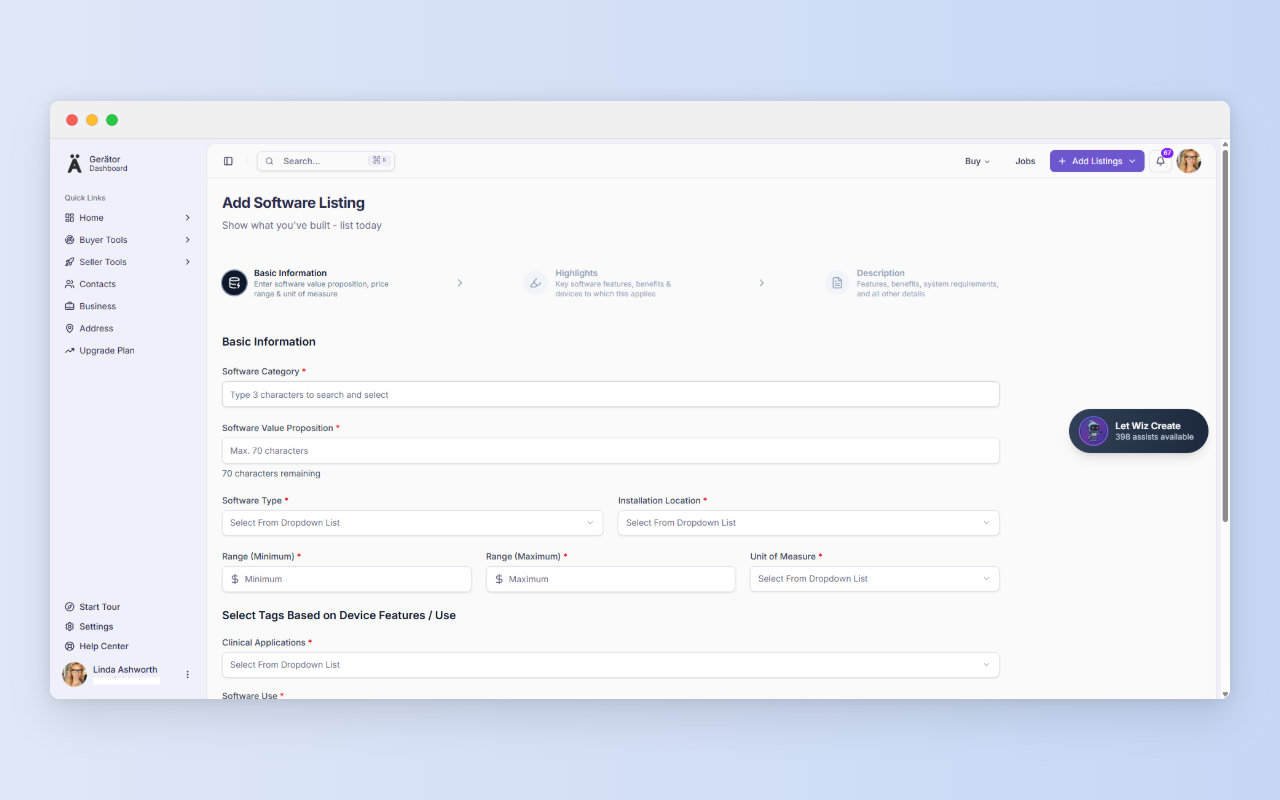
This step is the listing’s identity card, and it drives search and filtering. Most fields are search-and-select lists built on Gerätor’s proprietary taxonomy, so listings stay consistent and easy to compare. You’ll enter:
- Software Category (type three characters to search and select)
- Software Value Proposition, a headline of up to 70 characters. Make it specific, such as “Cloud EMR for multi-specialty hospitals with built-in billing”
- Software Type and Installation Location (cloud, on-premise or hybrid)
- Range (Minimum), Range (Maximum) and Unit of Measure, which together show your price range and what it covers
- Clinical Applications, Software Use, Device Category and Physical Location, the tags that connect your software to the right buyers. Physical Location is the department in a medical facility where the software is used, not an address.
Pick the unit of measure carefully. A range without a unit, say per user or per site, can’t be compared across listings.
A shortcut worth knowing
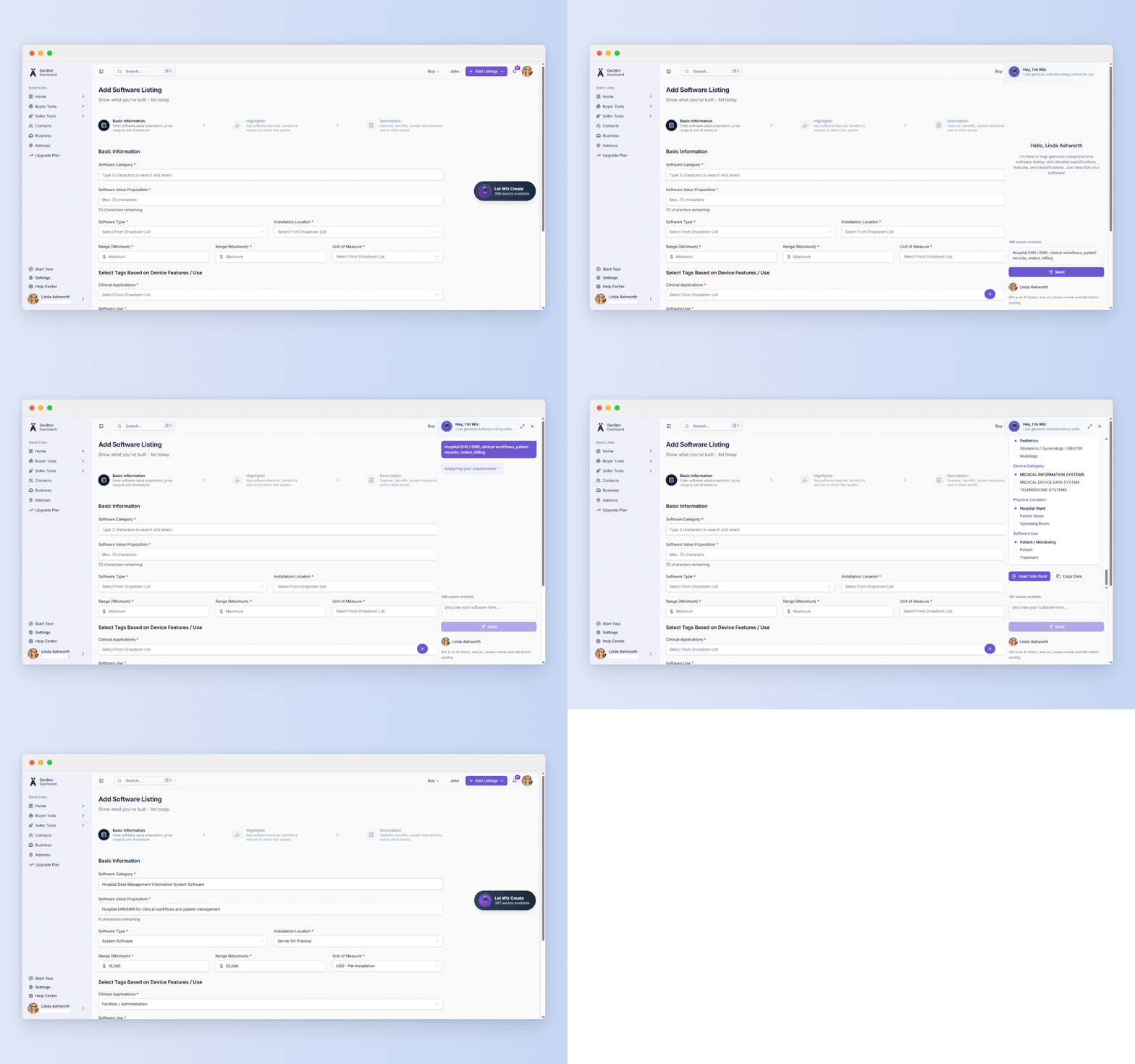
With Wiz AI, you don’t have to manually fill the form. Open Wiz and give it a short prompt such as “Hospital EHR / EMR, clinical workflows, patient records, orders, billing.” Then review what comes back.
Step 2: Highlights
This is where buyers decide whether to keep reading.
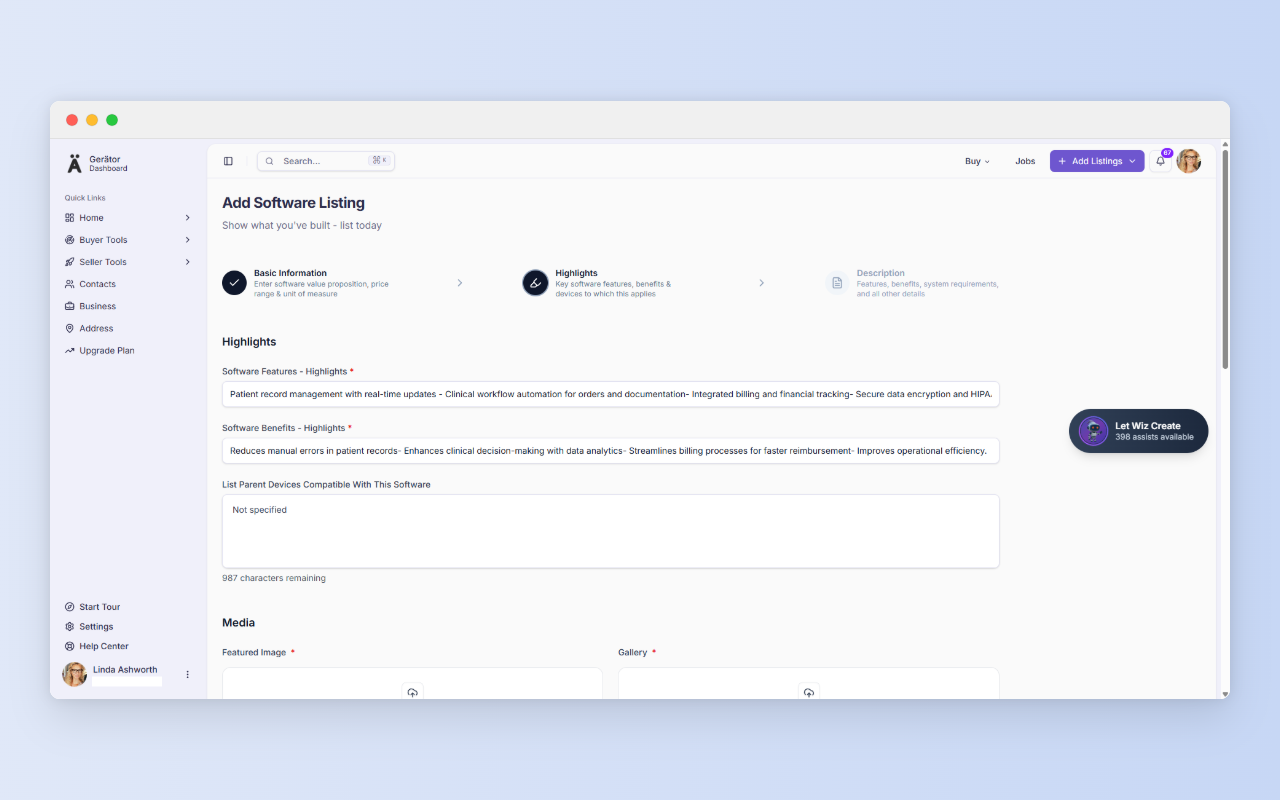
- Software Features and Software Benefits are short highlights: capabilities first, outcomes second.
- List Parent Devices Compatible With This Software is optional, and it’s the field many sellers skip. If the software only works with certain devices, name the exact manufacturers and models. “Not specified” is a missed answer to the most common buyer question.
- Media: one featured image and a gallery of 7 to 25 images, in PNG, JPEG or WEBP, 50 KB to 1 MB each, and the 50 KB minimum is enforced. Use real interface screenshots. You can also link a YouTube or Vimeo video. In one survey of B2B decision-makers, 81% said they preferred video for understanding a complex offering, so a short demo is worth adding.
- Key Software Delivery Center Geolocation: choose a saved address. Missing one? Use “Can’t find an address? Add it.”
- Service & Support Reach: say how far you can serve, for example Remote/Anywhere.
Wiz can draft the text fields here. Media and addresses are always manual.
Software often sits beside other listings. A refurbished system might be a device listing, its parts a spare/part listing, and your installation work a service listing. Linking them through your business profile gives buyers the full picture.
Ready to list?
Step 3: Description
Step 3 is the long form, where technical buyers check your claims.
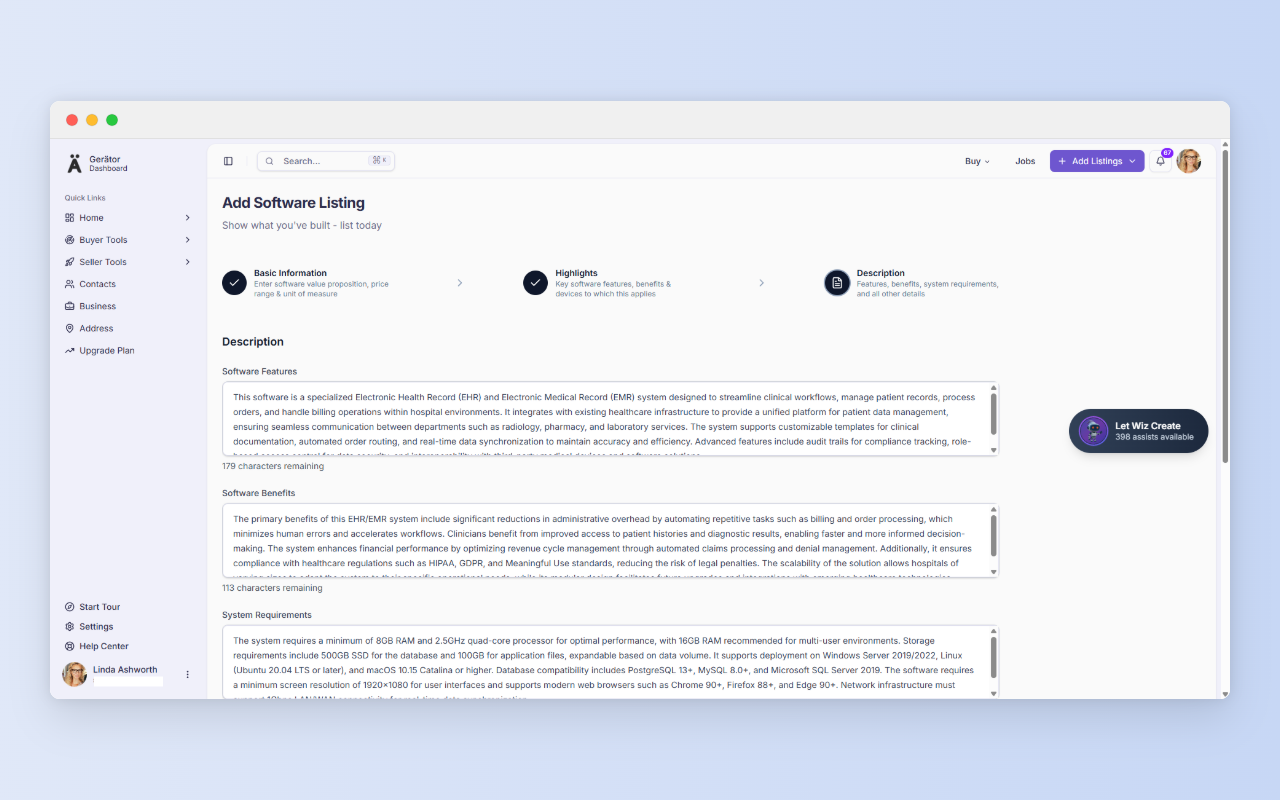
- Software Features and Software Benefits expand the Step 2 highlights.
- System Requirements should list minimum and recommended hardware, supported operating systems, database and browser support, and network needs.
- Additional Information is the place for standards and integrations (HL7, FHIR, APIs), update cadence, training and support terms.
- Documents is optional and accepts PDFs up to 1 MB each. Datasheets, integration guides and certification summaries work well.
Then select Save & Submit. Your listing then goes to Gerätor’s Trust and Quality Analyst (TQA) review queue.
Review what Wiz writes
Wiz saves drafting time, and the limits on how many assists you get depend on your pricing plan. But treat its output as a first draft. Check every compliance claim, version number and system requirement against your actual product, and make sure it matches the licenses, certifications and authority you hold. Gerätor assumes Sellers have the rights needed to sell or resell what they list. Buyers will test the claims you make.
Who this helps
- Refurbishers listing a software upgrade next to refurbished hardware, with exact compatibility and what’s included.
- Service companies offering diagnostic or service-support software, with requirements and remote reach stated.
- Software vendors listing clinical applications with deployment model and per-unit pricing.
- Traders listing software for older installed devices, with exact versions and documentation.
No business email yet?
A business profile requires a business email, and Gerätor recognizes public providers such as Gmail, Yahoo, Hotmail, Outlook, and Protonmail. If you signed up with one, you won’t be able to create a business profile. You’ll be prompted to get a business domain and email instead, with GoDaddy offered as an option through our partnership. Then log out and create a new account with your new business email.
If you later want a website too, Cloudways offers managed cloud hosting built for speed, security, and performance, whether you’re launching a new site or scaling an existing one.
In regions where you are unable to progress to location without a business email, once your business email is ready, add your first address at https://gerator.com/dashboard/settings/address. It takes a few minutes, and it answers the first question every buyer asks.
A few more things before you go…
We value clarity and fairness. Here are a few helpful links to read as a new user:
Terms of Use – Understand your rights and responsibilities.
Privacy Policy – Learn how we handle your data with care.
Security – Know the steps we take to protect your account.
Business Verification – See how we build trust in our ecosystem.
Pricing – Compare plans and their benefits.
Refund Policy – Know your options if things don’t go as planned.