


Why am I seeing this picture? Media Credit – Freepik
Important Note for Sellers: To set up a business profile which is mandatory for sellers, create an account with an email address from your business domain (Example - [email protected]).

Subscription Plans & Feature Availability  ✓ Give  ✓ Nurture  ✓ Thrive  ✓ Flourish
A biomedical buyer finds a patient monitor that fits their budget. The specs are right and the price is fair. Then comes the question every seller dreads: where is it, exactly?
Is it in a warehouse across the country, or still installed in a clinic two time zones away? Is it in the buyer’s region at all? If the listing doesn’t say, many buyers won’t stop to ask. They’ll move on to the next one.
Why location matters more in medical tech
Location shapes the whole deal. It affects freight cost, lead time, who can inspect the device, and whether a technician can realistically reach it.
It also affects whether the equipment will work where it ends up. A study of seven hospitals in Haiti found that only 30 percent of the 115 pieces of equipment donated after the 2010 earthquake were working, and some donated incubators could never work because they needed a higher voltage than Haiti’s standard. A wider review of hospital inventories from sixteen countries found that on average 38.3% of equipment in developing countries was out of service, with lack of training, technology management, and infrastructure named as the main causes.
Those studies are about donated equipment, not marketplace sales. But the lesson carries over to trading: deals go better when both sides know where a device is and where it’s headed.
A better way: set your locations once
Gerätor lets you save your business locations and attach one to every listing. A location can be a warehouse, a staging site, the place where a device or spare is currently installed, or the coverage area of a service you offer.
Set them up once, then pick from a dropdown whenever you add a listing. The full address is visible on your listing, which is the point: buyers see exactly where the item is, and that transparency is what builds credibility.
One thing to know first: in certain regions, this feature may be available only to users with a business domain email. No business email yet? Jump to the last section.
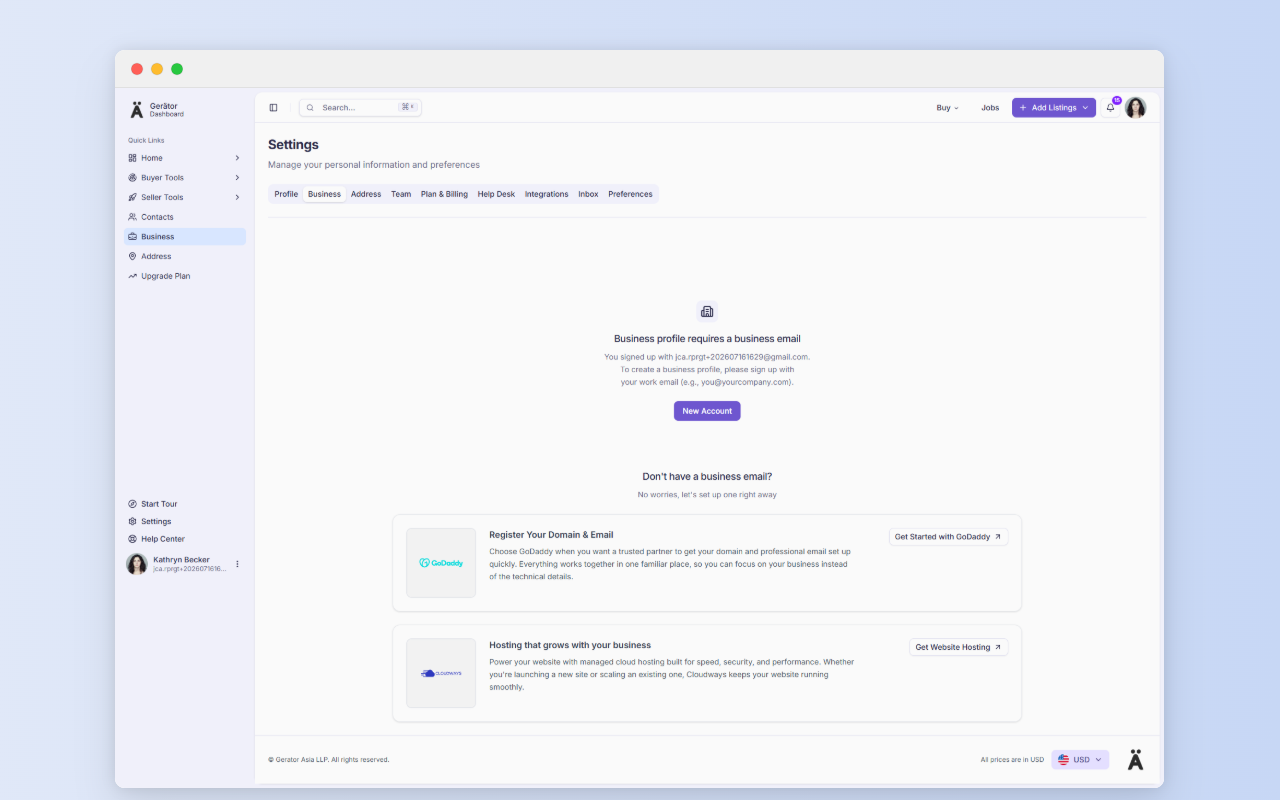
If you already have a business email on your own domain, you can go straight ahead. If not, Gerätor partners with GoDaddy so you can register a domain and email in one place. A branded address like [email protected] reads as more established anyway.
How to set up your business location
Go to https://gerator.com/dashboard/settings/address to begin.
Step 1: Label your address
Give the address a label and save it. Use something you’ll recognize later, like Headquarters, Sales Office, or Warehouse #1 through #N. The label is what you’ll see in the dropdown when creating a listing, and it’s how you find the address again to edit it.
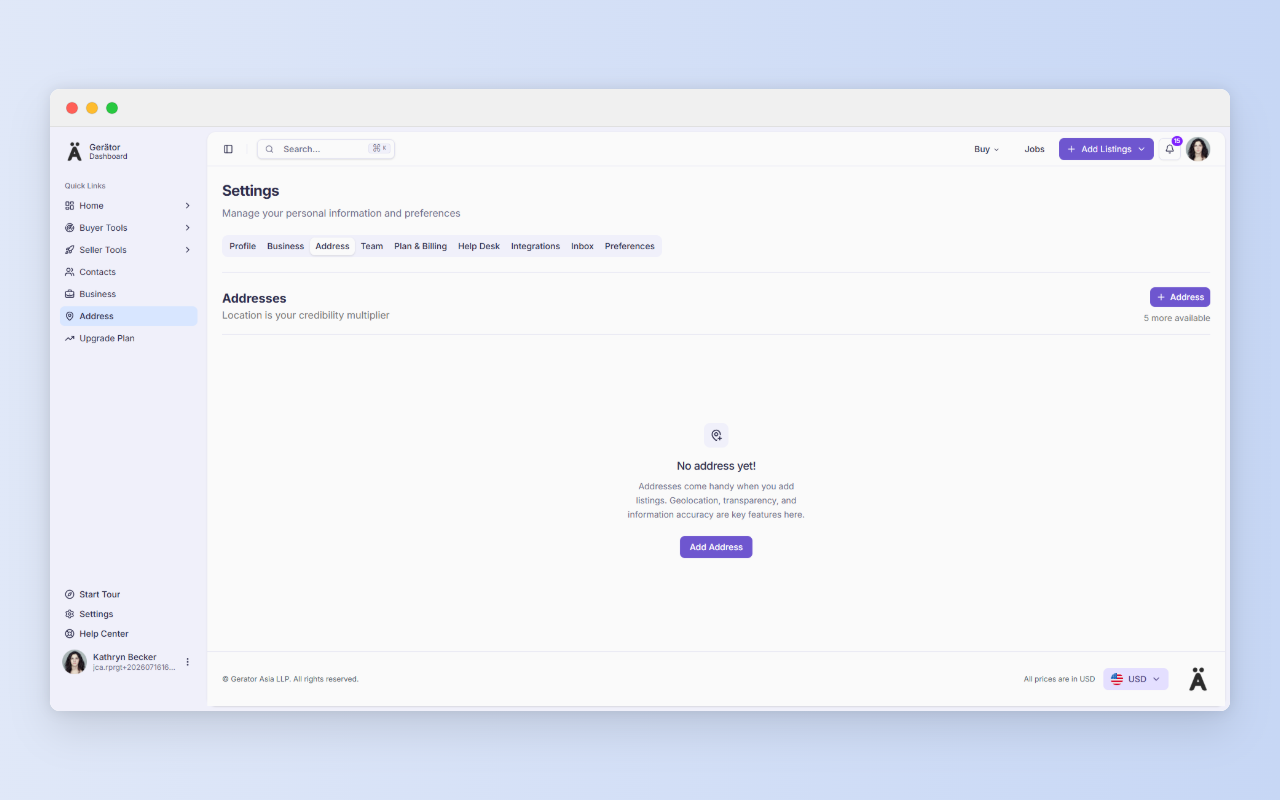
Step 2: Enter the details
Select the country, then add the building, street, state, town/city, and ZIP/postal code.
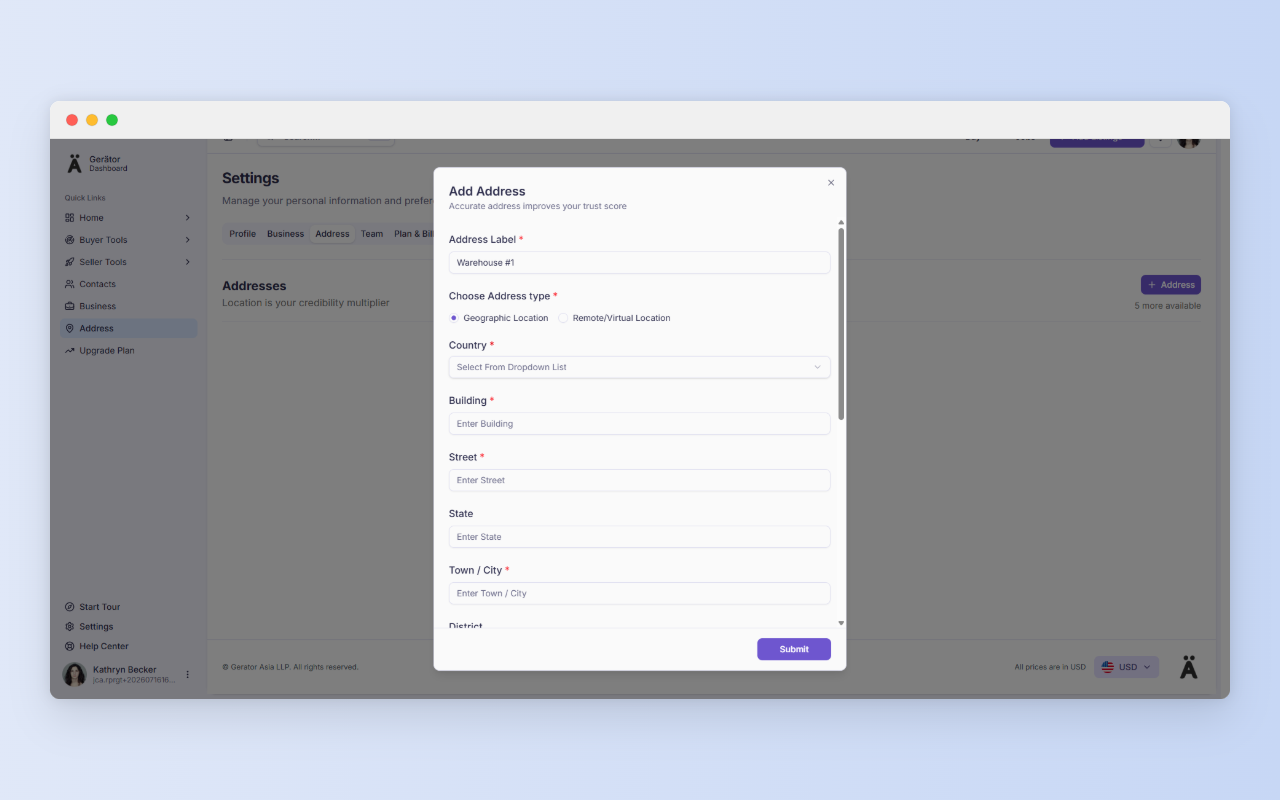
Name labels for how you’ll search for them, not how you think of them. “Warehouse #2 – Rotterdam” will save you time compared to “Storage B”. Since used addresses can’t be changed, it’s worth getting the label right before you publish your first listing.
A quick tip
Step 3: Click “Find on Map”
This step is required before you can save. Gerätor uses it to confirm that what you typed matches the location shown on your listing, and it registers the address for location-based searches. If the pin isn’t quite right, drag and drop it to the exact spot. That helps with large campuses and industrial estates, where a street address alone can leave a driver circling the block.
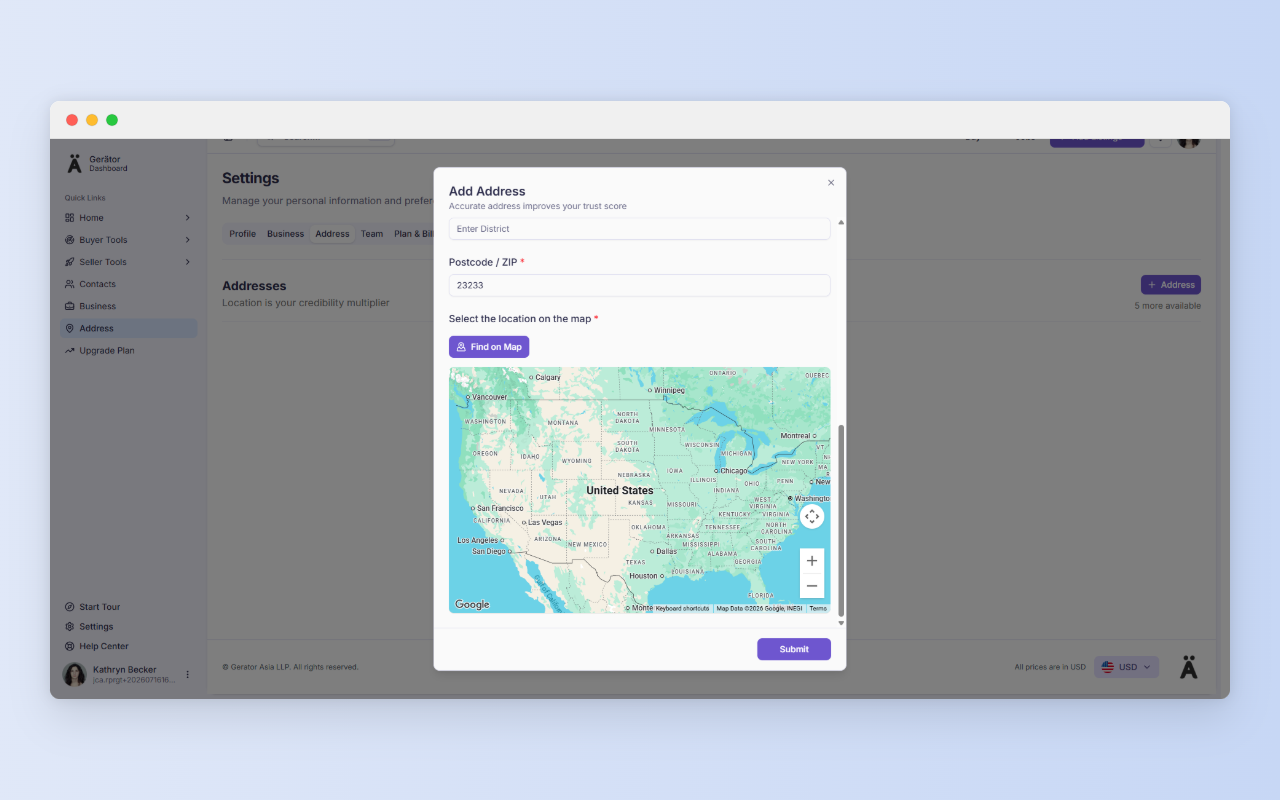
Step 4: Save and check the list
Once you save, make sure the address shows up in your list of addresses.
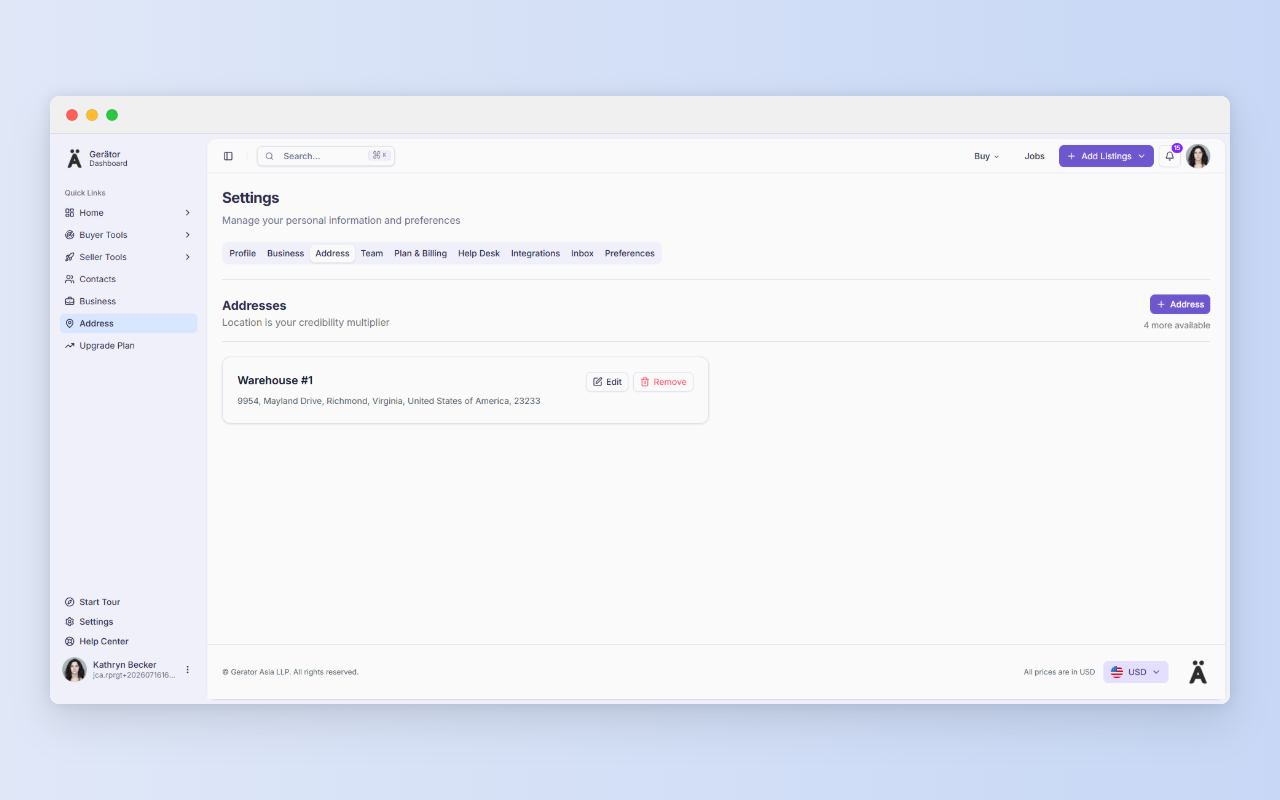
Editing later: Addresses that aren’t yet used as the location of any listing can be edited or deleted. Once an address is attached to a listing, it’s locked. That’s deliberate: a published listing shouldn’t quietly change location, so buyers can trust what they see.
How this looks in practice
- The multi-warehouse trader. Stock sits in three cities. With labeled warehouses, each listing points to the right one, and buyers can tell right away what’s near them.
- The refurbisher. Devices arrive at a staging site, get tested, and ship from another location. Each listing can carry the location that matches where the device actually is.
- The seller of installed equipment. Selling a scanner that’s still in place at a hospital? Show its current installed location, so buyers can plan removal and freight from the start.
- The service technician. Field engineers don’t work from one street address. When you create a service listing, the form lets you select your coverage area, so buyers see the regions you actually serve.
- The remote hire. Posting a job that allows remote work? You can select a virtual or remote location instead of a physical address.
Where it fits in your workflow
Saved locations feed straight into listing creation. Set your addresses up first, and each new listing becomes a matter of picking from the dropdown rather than typing an address again. Because the listing shows the full address, choose a location you’re comfortable making public. For most businesses that means the warehouse or office, not a home address.
No business email yet?
A business profile requires a business email, and Gerätor recognizes public providers such as Gmail, Yahoo, Hotmail, Outlook, and Protonmail. If you signed up with one, you won’t be able to create a business profile. You’ll be prompted to get a business domain and email instead, with GoDaddy offered as an option through our partnership. Then log out and create a new account with your new business email.
If you later want a website too, Cloudways offers managed cloud hosting built for speed, security, and performance, whether you’re launching a new site or scaling an existing one.
In regions where you are unable to progress to location without a business email, once your business email is ready, add your first address at https://gerator.com/dashboard/settings/address. It takes a few minutes, and it answers the first question every buyer asks.
A few more things before you go…
We value clarity and fairness. Here are a few helpful links to read as a new user:
Terms of Use – Understand your rights and responsibilities.
Privacy Policy – Learn how we handle your data with care.
Security – Know the steps we take to protect your account.
Business Verification – See how we build trust in our ecosystem.
Pricing – Compare plans and their benefits.
Refund Policy – Know your options if things don’t go as planned.